
UI.Button
static bool Button(string text)
A pressable button! A button will expand to fit the text provided to it, vertically and horizontally. Text is re-used as the id. Will return true only on the first frame it is pressed!
| string text | Text to display on the button and id for tracking element state. MUST be unique within current hierarchy. |
| RETURNS: bool | Will return true only on the first frame it is pressed! |
static bool Button(string text, Vec2 size, Align textAlign)
A pressable button! A button will expand to fit the text provided to it, vertically and horizontally. Text is re-used as the id. Will return true only on the first frame it is pressed!
| string text | Text to display on the button and id for tracking element state. MUST be unique within current hierarchy. |
| Vec2 size | The layout size for this element in Hierarchy space. If an axis is left as zero, it will be auto-calculated. For X this is the remaining width of the current layout, and for Y this is UI.LineHeight. |
| Align textAlign | Where the text aligns within its allotted box. Align.None falls back to the element’s natural alignment, which is generally what you want. |
| RETURNS: bool | Will return true only on the first frame it is pressed! |
Examples
A simple button
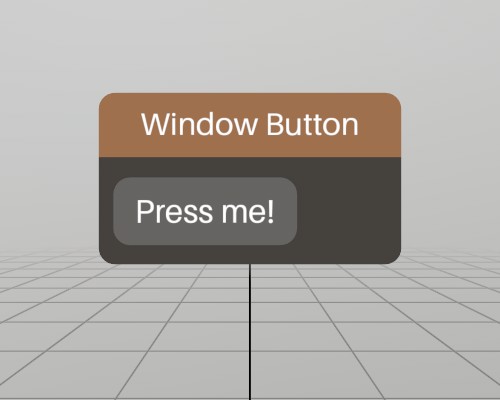
This is a complete window with a simple button on it! UI.Button
returns true only for the very first frame the button is pressed, so
using the if(UI.Button()) pattern works very well for executing
code on button press!
Pose windowPoseButton = new Pose(0, 0, 0, Quat.Identity);
void ShowWindowButton()
{
	UI.WindowBegin("Window Button", ref windowPoseButton);

	if (UI.Button("Press me!"))
		Log.Info("Button was pressed.");

	UI.WindowEnd();
}
Found an issue with these docs, or have some additional questions? Create an Issue on Github!