
UI.PopEnabled
static void PopEnabled()
Removes an ‘enabled’ state from the stack, and whatever was below will then be used as the primary enabled state.
Examples
Enabling and Disabling UI Elements
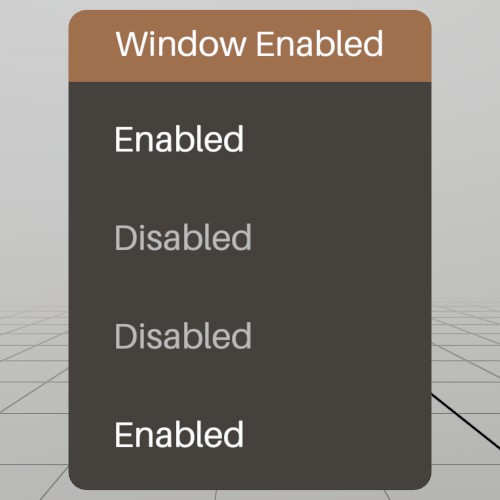
UI.Push/PopEnabled allows you to enable and disable groups of UI elements! This is a hierarchical stack, so by default, all PushEnabled calls inherit the stack’s state.
Pose windowPoseEnabled = new Pose(1.8f, 0, 0, Quat.Identity);
void ShowWindowEnabled()
{
	UI.WindowBegin("Window Enabled", ref windowPoseEnabled);

	// Default state of the enabled stack is true
	UI.Label(UI.Enabled ? "Enabled" : "Disabled");

	UI.PushEnabled(false);
	{
		// This label will be disabled
		UI.Label(UI.Enabled?"Enabled":"Disabled");

		UI.PushEnabled(true);
		{
			// This label inherits the state of the parent, so is therefore
			// disabled
			UI.Label(UI.Enabled?"Enabled":"Disabled");
		}
		UI.PopEnabled();

		UI.PushEnabled(true, HierarchyParent.Ignore);
		{
			// This label was enabled, overriding the parent, and so is
			// enabled.
			UI.Label(UI.Enabled ? "Enabled" : "Disabled");
		}
		UI.PopEnabled();
	}
	UI.PopEnabled();

	UI.WindowEnd();
}
Found an issue with these docs, or have some additional questions? Create an Issue on Github!