
Lighting.SetEnvironment
static void SetEnvironment(Tex skyCubemap)
Sets up the whole scene’s lighting from a single cubemap!
This includes the Renderer.SkyboxTex, a generated
Lighting.Reflection, and once that’s finished generating,
Ambient and MainLight too. Raw radiance cubemaps like
Tex.FromCubemap provides are perfect here, no mip chain needed.
Anything you assign to those properties afterwards overrides that
piece. Null resets all of it to StereoKit’s defaults. Ignored when
using World as a lighting source.
| Tex skyCubemap | A cubemap of the environment’s radiance, such as one from Tex.FromCubemap, or null to reset to the default environment. |
static void SetEnvironment(Tex skyCubemap, Tex& reflection)
This overload also hands back the reflection texture it
generated, for hooking Tex.OnLoaded, or re-convolving later
with Tex.GenCubemapReflection.
| Tex skyCubemap | A cubemap of the environment’s radiance, such as one from Tex.FromCubemap, or null to reset to the default environment. |
| Tex& reflection | The generated reflection, or null if none was generated, such as on a null reset, or when using World as a lighting source. |
Examples
Setting lighting to an equirect cubemap
Changing the environment’s lighting based on an image is a really great way to instantly get a particular feel to your scene! A neat place to find compatible equirectangular images for this is Poly Haven
This one call shows the cubemap as the skybox, and derives the scene’s reflections and ambient light from it, all chained off the async file load.
Lighting.SetEnvironment(Tex.FromCubemap("old_depot.hdr"));
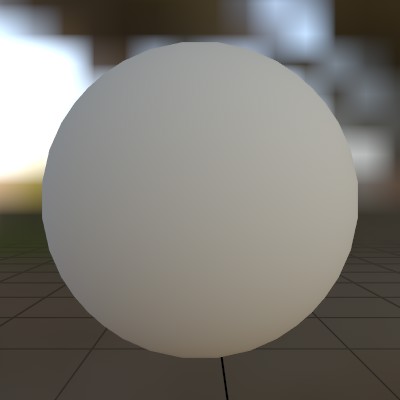
And here’s what it looks like applied to the default Material!
Found an issue with these docs, or have some additional questions? Create an Issue on Github!