
UI.VolumeAt
static BtnState VolumeAt(string id, Bounds bounds, UIConfirm interactType, Interactor& interactor, BtnState& focusState)
A volume for helping to build interactions. This checks for the presence of an interactor inside the bounds, and if found, returns that interactor along with activation and focus information defined by the interactType.
| string id | An id for tracking element state. MUST be unique within current hierarchy. |
| Bounds bounds | Size and position of the volume, relative to the current Hierarchy. |
| UIConfirm interactType | UIConfirm.Pinch will activate when the interactor performs a ‘pinch’ gesture inside the volume. UIConfirm.Push will activate when the interactor enters the volume, and behave the same as the element’s focusState. |
| Interactor& interactor | The Interactor that is interacting with the volume. If nothing is interacting, this will be Interactor.None. |
| BtnState& focusState | The focus state tells if the element has an interactor inside of the volume that qualifies for focus. |
| RETURNS: BtnState | Based on the interactType, this is a BtnState that tells the activation state of the interaction. |
static BtnState VolumeAt(string id, Bounds bounds, UIConfirm interactType, Interactor& interactor)
A volume for helping to build interactions. This checks for the presence of an interactor inside the bounds, and if found, returns that interactor along with activation and focus information defined by the interactType.
| string id | An id for tracking element state. MUST be unique within current hierarchy. |
| Bounds bounds | Size and position of the volume, relative to the current Hierarchy. |
| UIConfirm interactType | UIConfirm.Pinch will activate when the interactor performs a ‘pinch’ gesture inside the volume. UIConfirm.Push will activate when the interactor enters the volume, and behave the same as the element’s focusState. |
| Interactor& interactor | The Interactor that is interacting with the volume. If nothing is interacting, this will be Interactor.None. |
| RETURNS: BtnState | Based on the interactType, this is a BtnState that tells the activation state of the interaction. |
static BtnState VolumeAt(string id, Bounds bounds, UIConfirm interactType)
A volume for helping to build interactions. This checks for the presence of an interactor inside the bounds, and if found, returns that interactor along with activation and focus information defined by the interactType.
| string id | An id for tracking element state. MUST be unique within current hierarchy. |
| Bounds bounds | Size and position of the volume, relative to the current Hierarchy. |
| UIConfirm interactType | UIConfirm.Pinch will activate when the interactor performs a ‘pinch’ gesture inside the volume. UIConfirm.Push will activate when the interactor enters the volume, and behave the same as the element’s focusState. |
| RETURNS: BtnState | Based on the interactType, this is a BtnState that tells the activation state of the interaction. |
Examples
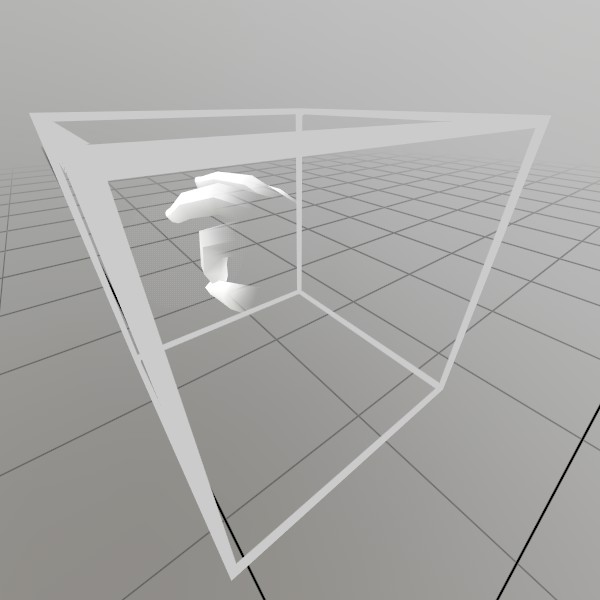
A volume is a 3D space that can be interacted with by any interactor, such as a hand, controller, or mouse pointer. This code draws an axis at the interactor’s location when it pinches while inside the VolumeAt.
// Draw a transparent volume so the user can see this space
Vec3  volumeAt   = new Vec3(0, 0.2f, -0.4f);
float volumeSize = 0.2f;
Default.MeshCube.Draw(Default.MaterialUIBox, Matrix.TS(volumeAt, volumeSize));

BtnState volumeState = UI.VolumeAt("Volume", new Bounds(volumeAt, Vec3.One * volumeSize), UIConfirm.Pinch, out Interactor interactor);
if (volumeState != BtnState.Inactive)
{
	// If it just changed interaction state, make it jump in size
	float scale = volumeState.IsChanged()
		? 0.1f
		: 0.05f;
	Lines.AddAxis(interactor.Motion, scale);
}
Found an issue with these docs, or have some additional questions? Create an Issue on Github!